
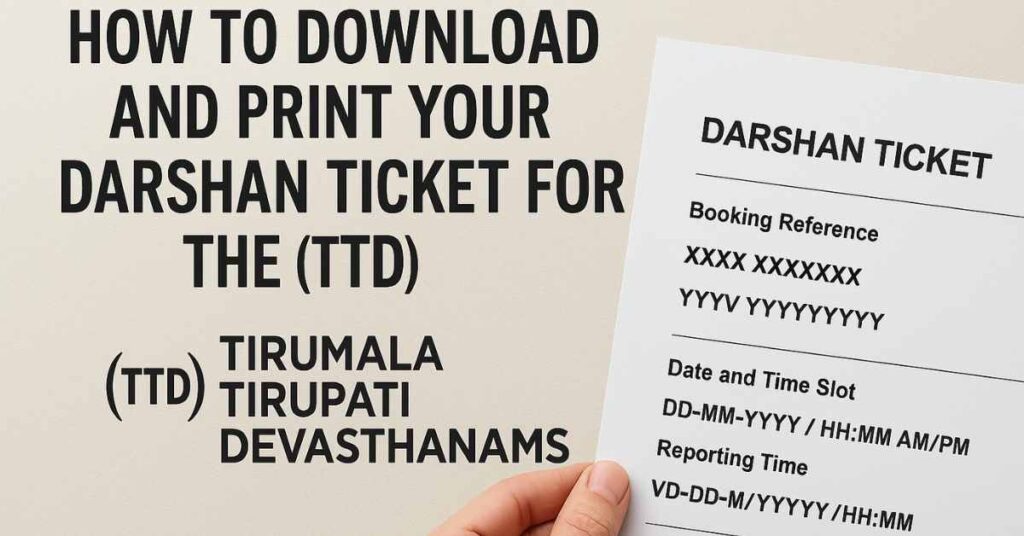
Learn how to securely download, save and print your darshan ticket for the TTD online booking system. Step-by-step guide with key tips for a hassle-free visit.
Brief Summary
- Register on the TTD portal
- Book your darshan ticket (Sarva, Special, etc)
- Download the ticket/receipt once booking is confirmed
- Save the PDF and take a printout
- Carry the print-out + original ID proof for entry
Booking a darshan ticket online with the TTD can simplify your pilgrimage and ensure a smoother visit. This guide will walk you through how to download your ticket, print it, and prepare properly — helping you avoid issues at the gate.
Key Information at a Glance
- Timings: slot, reporting time, venue
- Entry/Ticket: for the TTD online booking system
- Contact: / email ID that you used while booking
1. Why Download & Print the Ticket?
When you book online via the Tirumala Tirupati Devasthanams (TTD) portal, you receive an electronic receipt/ticket. Having a PDF download and a hard-copy print-out ensures:
- You have proof of booking (reference number, date, time, names)
- You can show it at entry to the temple as required
- Avoid last-minute internet or device issues
According to TTD FAQs: once you book internet tickets, you must carry the same original photo ID used during booking.
2. The Download & Print Process
Here’s a step-by-step:
- Visit the TTD official website (for example: the portal at tirupatibalaji.ap.gov.in) or the designated “Download Ticket” link.
- Log in using your registered mobile number / email ID that you used while booking.
- Navigate to the “Booking History” or “My Tickets” section, locate your darshan ticket/receipt.
- Click on “Download / Print” — you will typically get a PDF that contains: booking reference number, names of pilgrims, date/time slot, reporting time, venue.
- Save the PDF on your device and/or email it to yourself for backup.
- Print at least two copies on A4 size: one to carry with you and another as backup.
- At the temple, carry the print + original ID (same one used during booking) + a copy of the ID. The TTD FAQ emphasises the need for original photo ID.
3. Important Tips & Things to Note
- Use correct ID proof: The ID you register must match at time of entry; mismatch may result in denial of entry.
- Dress code: Some darshan types (e.g., Special Entry) may require traditional dress (men: dhoti/shirt or kurta-pyjama; women: saree/half-saree/chudidar-dupata) as per ticket instructions.
- Reporting time: Tickets will have a time‐slot to report; arrive punctually. Late arrival may revert you to general darshan queue.
- No luggage/electronics: Many tickets mention that no luggage or large electronic gadgets are allowed inside. Better to keep minimal items.
- Backup: Internet or network issues can happen at the last minute. Having a printed copy avoids dependence on mobile connectivity.
- Legal copy: The downloaded PDF functions as a valid ticket and doesn’t require an additional signature.
- Keep records: Save booking reference & screenshot of the ticket even after printing, in case questions arise later.
4. Frequently Asked Questions (FAQ)
| Question | Answer |
|---|---|
| Can I use only a mobile ticket (no print)? | While some counters may scan a mobile ticket, best practice is printing to avoid device or network issue. |
| What if my printer fails? | Use a cyber café or print shop near you or even at Tirupati/Tirumala; keep digital backup. |
| Can I book for another person? | Yes, if you register and provide their correct ID details during booking. |
| Can I cancel or reschedule after printing? | In most cases for darshan tickets: No cancellation/rescheduling allowed. Check your ticket terms. |
| What if I lose the printout? | Keep the PDF downloaded; you may get a reprint from your booked account or TTD counter support. |
Final Checklist Before You Go
- Printed ticket (clear, legible)
- Original photo ID (same as booking) + copy of ID
- Arrive at the designated reporting point/time
- Dress appropriately (if required)
- Keep minimal items (no bulky luggage)
- Have backup digital copy on mobile/email
- Take note of TTD call-centre number (for issues)
By following this guide you ensure your visit to the TTD temple is smooth, respectful and prepared. Wishing you a peaceful and fulfilling darshan experience.
Author: Vijaya Durga Pemmasani
References & Helpful Links
- TTD Online Services FAQ PDF: Online Services (TTD) Tirumala Tirupati Devasthanams
- Download Ticket Guide: TTD Tirupati Balaji Darshan Ticket Download ttdsevaonline.net
- Booking & Download Process Explanation:
Related Articles
- TTD Online Seva Tickets Booking Step by Step Process tirumalatirupati.in
- [Preparing for Your Pilgrimage to Tirumala — essential tips] (link placeholder)
Important Tips for Visitors
- Book online in advance to avoid disappointment — rooms and darshan slots fill up fast.
- Verify the official website URL carefully — many fraudulent booking sites exist.
- Keep your booking confirmation handy (print or digital) as it will be checked at entry.
- Check cancellation policies before booking — most temple trusts have strict refund rules.
Official Resources

V S Anantha Sharma is a Senior Content Researcher at Go Kshetra with over 20 years of experience in Indian archaeology, temple architecture, and Hindu pilgrimage traditions. A lifelong devotee and...
Go Kshetra covers 1,600+ Hindu temples across 28 states. Content sourced from official temple websites and first-hand visits. About our editorial process